Mainstem Association
As shown in the SPARQL Playground and the Geoconnex Explorer, one of the core query patterns in Geoconnex is finding features and their associated datasets on a particular mainstem.
In order to accomplish this, Geoconnex uses the hydrological data from the National Hydrologic Geospatial Fabric Reference Hydrofabric. This dataset can be used to associate vector features with their catchments and flowlines. This dataset is a processed version of National Hydrography Dataset Plus (NHDPlus) version 2.1 and cleans up some of the data issues present in the original dataset.
NHDPlus is distinct from NHDPlus HR which is a higher resolution dataset. The reference hydrofabric will eventually be updated to use NHDPlus HR, but is currently using NHDPlus V2.1.
The general pattern to find the mainstem for a feature is as follows:
- Get the geometry of your feature of interest
- Find the NHDPlus catchment
- Find the associated flowlines from the catchment
- Traverse the flowlines until you reach the terminal flowline
- Map the terminal flowline to the Geoconnex mainstem feature persistent identifier (PID)
There are two main ways of reproducing these associations. These can be used to generate hydrological reference associations for other future hydrography products beyond Geoconnex.
- Using local NHDPlus Data
- Using the NLDI API
Generating Mainstem Associations Using Local NHDPlus Data
The Python notebook below demonstrates an example of how to map an arbitrary point to its associated Geoconnex mainstem. It requires you have the reference hydrofabric dataset downloaded from ScienceBase here
# %%
from pathlib import Path
import geopandas as gpd
import shapely

# %%
# Read in the geopackage files; these can be downloaded from
# https://www.sciencebase.gov/catalog/item/61295190d34e40dd9c06bcd7
catchments = gpd.read_file(Path(__file__).parent / "reference_catchments.gpkg")
flowlines = gpd.read_file(Path(__file__).parent / "reference_flowline.gpkg")

# %%
# Project catchments to the same coordinate system
catchments = catchments.to_crs("epsg:4326")
assert catchments.crs == "epsg:4326", catchments.crs
flowlines = flowlines.to_crs("epsg:4326")
assert flowlines.crs == "epsg:4326", flowlines.crs

# %%
# First we get the featureid for the catchment. This is a catchment id aka COMID
pointOnColoradoRiver = shapely.geometry.Point(-108.50231860661755, 39.05108882481538)
associatedCatchment = catchments[catchments.intersects(pointOnColoradoRiver)]
featureID = associatedCatchment["featureid"].iloc[0]
assert featureID == 3185828

# %%
# Next we get the associated flowline(s) for the catchment
relevantFlowline = flowlines[flowlines["COMID"] == featureID]
assert relevantFlowline.shape[0] == 1
assert relevantFlowline["gnis_name"].iloc[0] == "Colorado River"
assert relevantFlowline["gnis_id"].iloc[0] == 45730

# All lines with the same LevelPathI form one continuous routed path (e.g., the entire main stem of a river);
# There is also a column for TerminalPath but that represents the ultimate destination of the flowline
# and thus could be very far away from the catchment
MAINSTEM_COLUMN = "LevelPathI"
mainstemID = relevantFlowline[MAINSTEM_COLUMN].iloc[0]
assert mainstemID == 308280

# %%
# Finally we use the id of the terminal path to find the associated geoconnex mainstem
mainstem_lookup = gpd.read_file(
    "https://github.com/internetofwater/ref_rivers/releases/download/v2.1/mainstem_lookup.csv"
)
# The mainstem lookup CSV uses strings instead of integers so we cast
mainstem_lookup["lp_mainstem"] = mainstem_lookup["lp_mainstem"].astype(int)
mainstem_lookup["ref_mainstem_id"] = mainstem_lookup["ref_mainstem_id"].astype(int)

geoconnex_mainstem_id = mainstem_lookup.loc[
    mainstem_lookup["lp_mainstem"] == mainstemID
]["ref_mainstem_id"].iloc[0]

assert geoconnex_mainstem_id == 29559

# The point POINT (-108.50231860661755 39.05108882481538) is associated with the mainstem https://reference.geoconnex.us/collections/mainstems/items/29559
print(
    f"The point {pointOnColoradoRiver} is associated with the mainstem https://reference.geoconnex.us/collections/mainstems/items/{geoconnex_mainstem_id}"
)
Generating Mainstem Associations Using the USGS NLDI
The NLDI is an API service provided by the USGS. It takes a watershed outlet identifier as a starting point, a navigation mode to perform, and the type of data desired in response to the request. It can provide geospatial representations of the navigation or linked data sources found along the navigation.
One can find the associated mainstem for a point by following this workflow:
- Obtain the geometry of your feature of interest
- Find which catchment it falls into
- Fill in your geometry to the bbox argument: https://labs-beta.waterdata.usgs.gov/api/fabric/pygeoapi/collections/catchmentsp/items?bbox=$GEOMETRY
- Example: https://labs-beta.waterdata.usgs.gov/api/fabric/pygeoapi/collections/catchmentsp/items?limit=100&bbox=-108.50231860661755,39.05108882481538,-108.50231860661755,39.05108882481538
- For polygons which intersect multiple catchments, you will need to determine which catchment is the best fit for your feature.
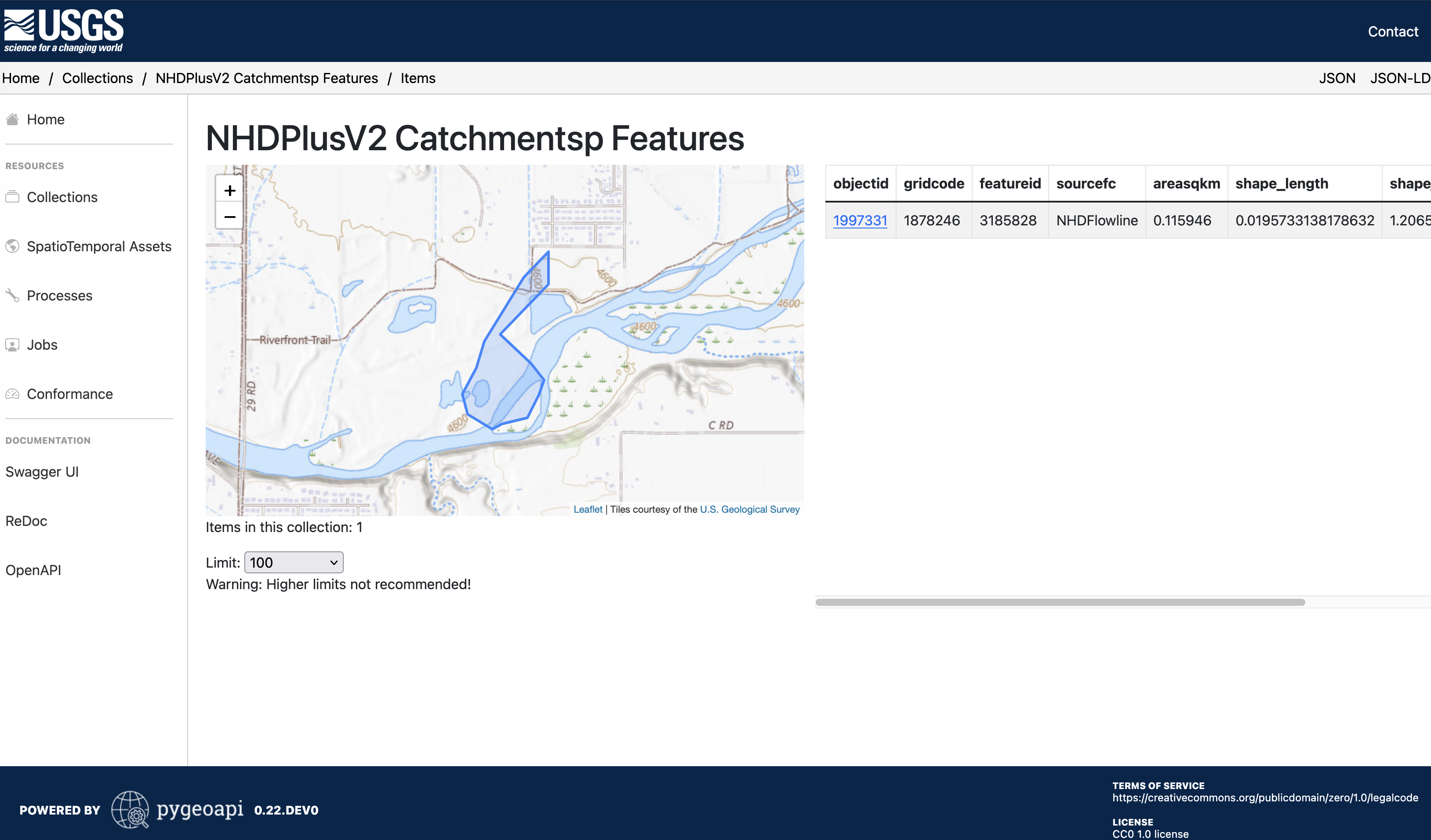
- For polygons which intersect multiple catchments, you will need to determine which catchment is the best fit for your feature.
- Use the
featureidfrom step 2 to fetch the flowlines data: - Get the value of
nhdplus_comidfor the last feature in the returned feature collection- The last feature is the most upstream feature according to the NHDPlus dataset
- Value from Example:
1233891
- Use the value of
nhdplus_comidto find the associated mainstem in the Geoconnex reference feature server.- Note: Make sure to include the full Geoconnex PID in the query
- Example: https://reference.geoconnex.us/collections/mainstems/items?head_nhdpv2_comid=https://geoconnex.us/nhdplusv2/comid/1233891
- If there is an associated mainstem, you will get the returning mainstem feature
- In this case, the Colorado River
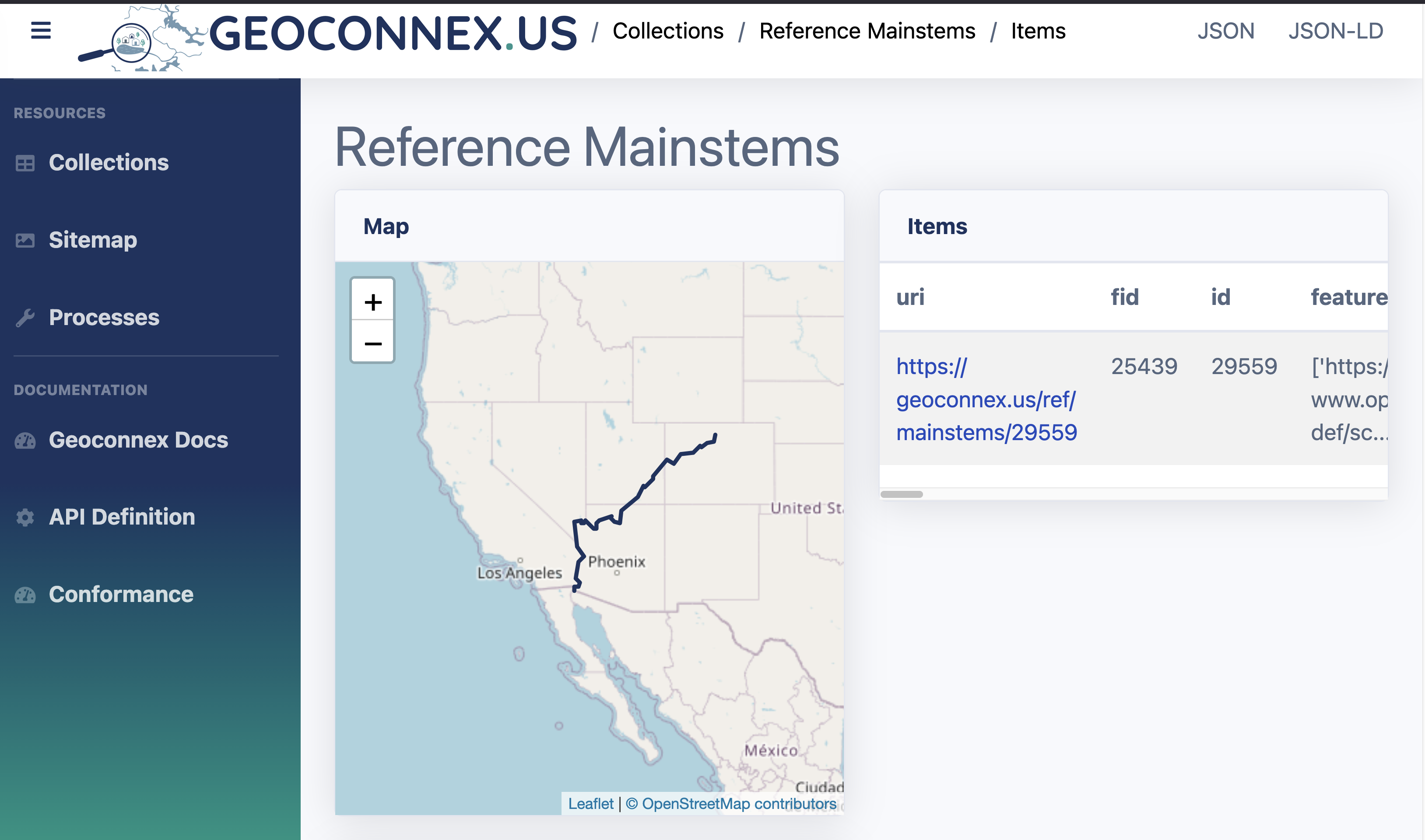
- In this case, the Colorado River